 Decryptum
A local password vault
Save, search, group and edit your accounts. Unlock with a master password or the supported biometric flow.
LOCAL-FIRST · ANDROID · OPEN SOURCE
Passwords and two-factor codes in a local Android vault, with on-device checks for weak, reused and duplicate credentials.
Android 8+ · English & Russian · GPLv3
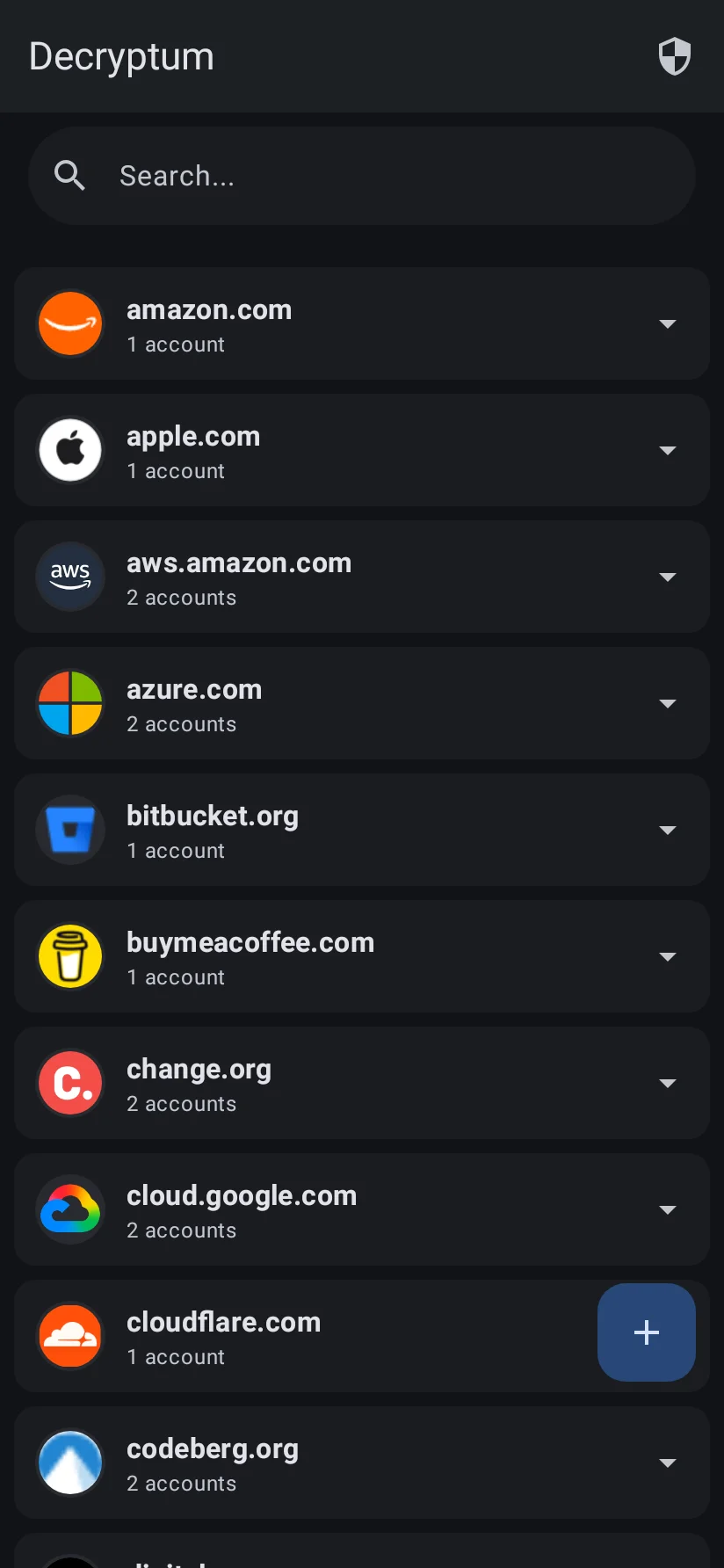
THE EVERYDAY ESSENTIALS
Keep the useful things together, without building your routine around a cloud account.
Save, search, group and edit your accounts. Unlock with a master password or the supported biometric flow.
Generate TOTP codes locally. Add accounts manually, scan a QR code or import a Google Authenticator export.
Generate passwords with SecureRandom. Choose length and character sets. Strength labels are guidance, not a guarantee.
Use Android’s autofill framework and credential integration. App and browser compatibility still needs device testing.
02 / THE AUTHENTICATOR
TOTP codes are generated from the stored secret and device time. There is no Decryptum server to contact for each code.
Current Compose screen rendered locally with a public demo seed. The displayed demo code is not a TOTP recovery secret.
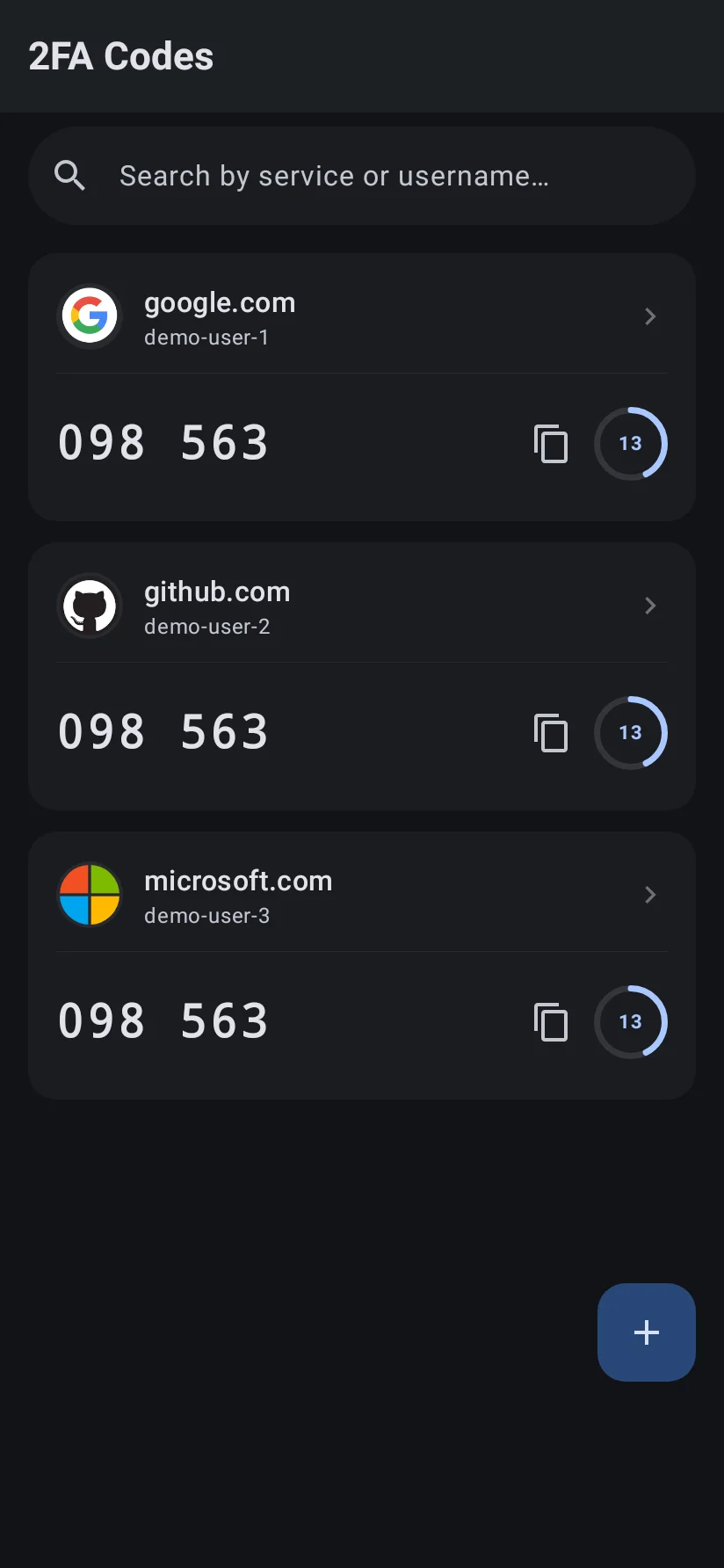
CURRENT COMPOSE INTERFACE
Generate a password on your terms, then review weak, reused and duplicate credentials on your device.
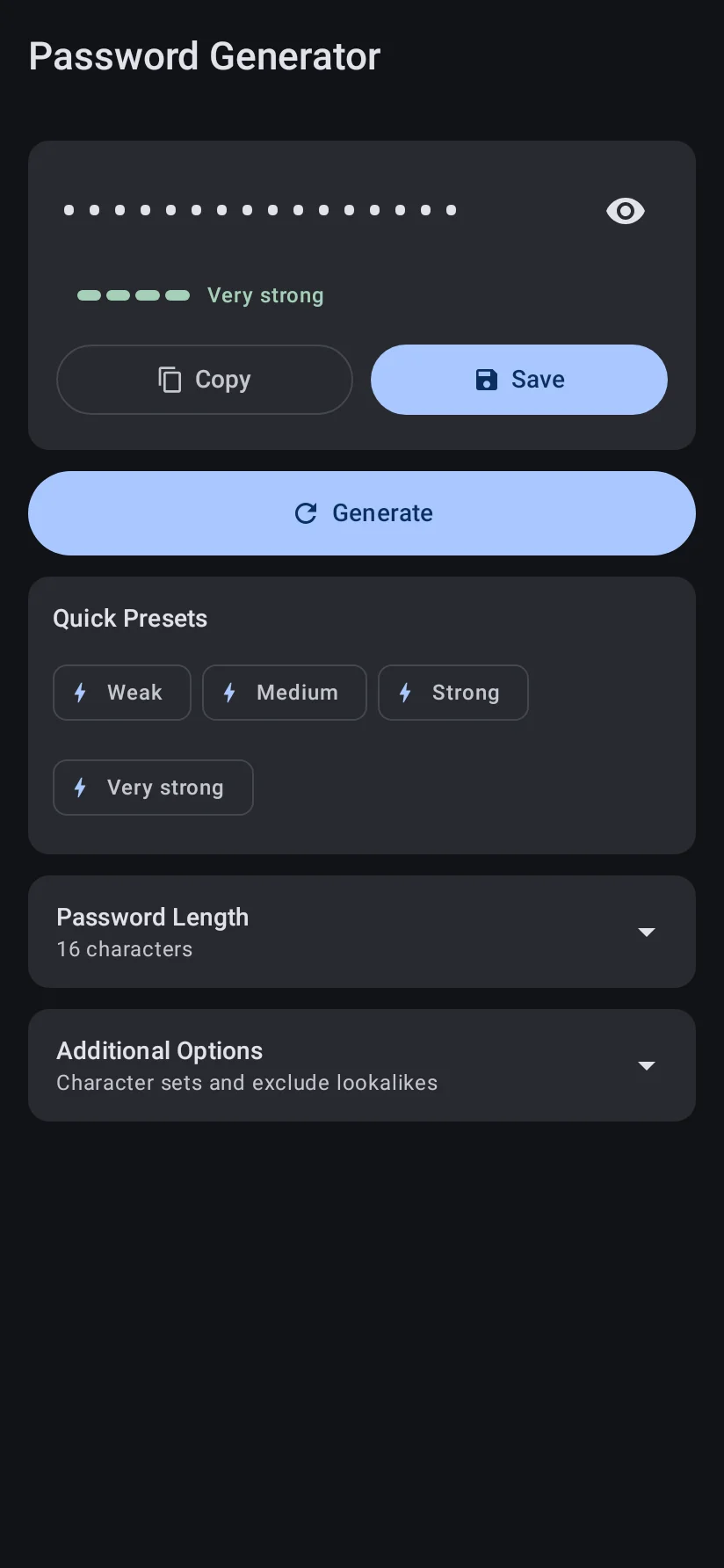
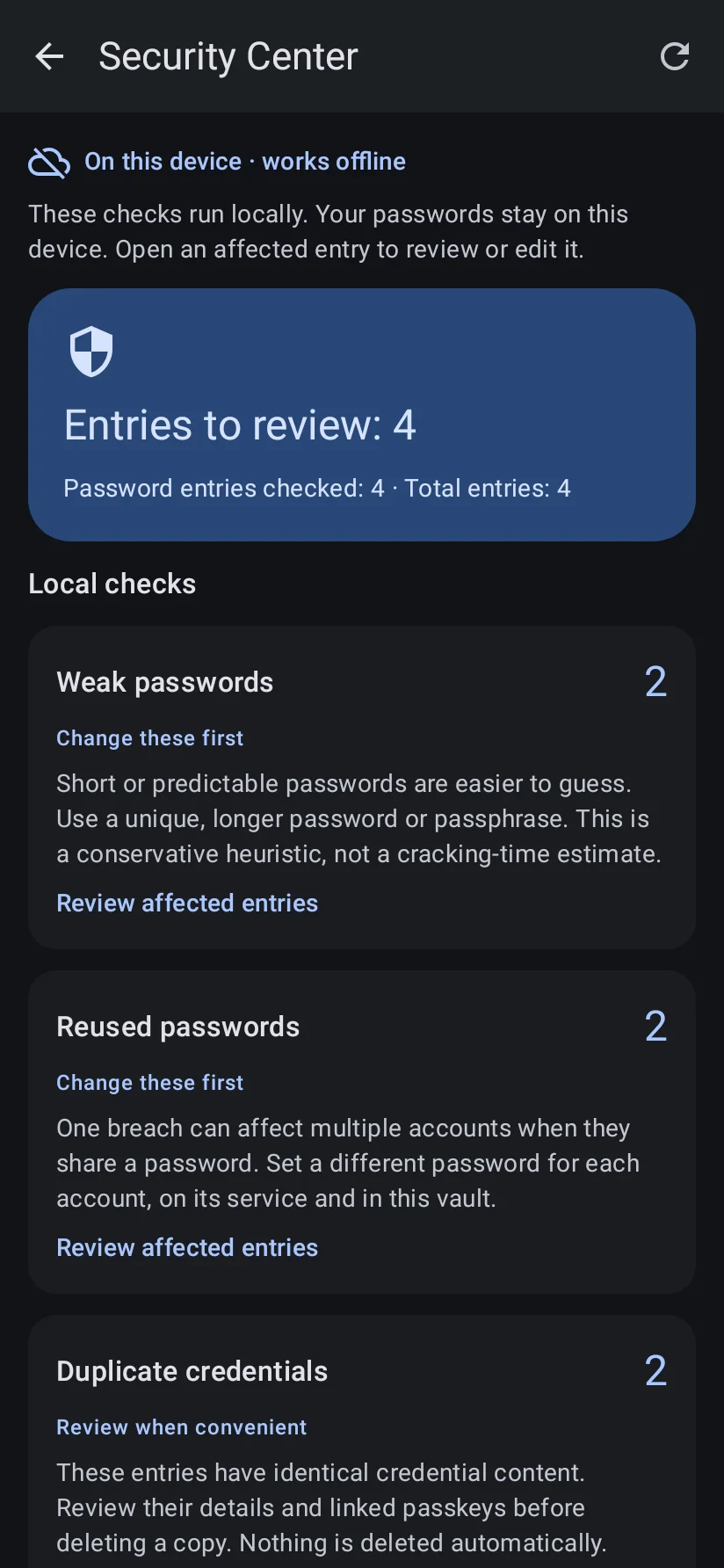
Real v1.1.1 Compose screens and controls rendered locally through Robolectric with synthetic fixtures. These are not physical-device captures. Capture notes ↗
A CLEAR DATA BOUNDARY
Your vault lives in the app’s private storage. There is no Decryptum cloud account or cross-device sync.
Read the privacy detailsVault records, TOTP generation and local Security Center analysis.
Site icons can disclose a domain to Google, DuckDuckGo and the site itself. The current favicon setting is not a complete network switch.
CSV exports can contain passwords, TOTP seeds and private passkey material in readable form. Android backup is disabled.
No analytics, tracking pixels or remote crash-reporting SDK was found in the current source.
SECURITY, WITH CONTEXT
Encryption is one layer. Device security, unlocking, safe recovery and correct integration boundaries matter too.
Room uses SQLCipher with a random database key wrapped by Android Keystore.
Passwords, TOTP secrets and private passkey material use AES-GCM with a vault key protected by a master-password-derived Argon2id key.
A compromised OS or an attacker inside an unlocked process can defeat app protections. Independent security assurance has not been established.
LOCAL SECURITY CENTER
The current source checks weak passwords, exact reuse across accounts and duplicate credentials on your device. Review findings and make changes yourself.
No AI or internet is needed for these checks. Breaches are explicitly not checked; a quiet result does not mean your accounts are safe.
How the checks work ↗Length, limited common patterns and the existing strength heuristic.
Exact matches shared across different stored account identities.
Exact copies flagged for manual review. Nothing is deleted automatically.
Explanation of current source behavior. This panel is not an app screenshot.
OPTIONAL · DEVELOPMENT ONLY
Local code finds credential hygiene issues. The debug-only Claude prototype explains four aggregate counts after explicit consent; it does not scan the vault or change credentials. It is disabled in release.
Inspect the outbound contract ↗Only password-entry, weak-password, reused-password and duplicate-credential counts are sent as vault-derived data.
Passwords, TOTP secrets, private keys, hashes, usernames and domains are not sent by this feature. Anthropic receives IP/timing and transport metadata. Counts can still be sensitive; the response is untrusted guidance.
WHAT COMES NEXT
The next priority is release verification and closing the remaining launch blockers. Future ideas are not shipping promises.
Product & roadmap ↗Lock and autofill boundaries, crash-safe migrations, restore behavior, passkey trust and release signing.
Devices, accessibility, large vaults, current screenshots and a reproducible release candidate.
Encrypted recovery, improved imports, consented breach checks; later, possible sync and browser or desktop work.
GOOD QUESTIONS
The vault, password generator, TOTP and local Security Center work offline. Favicons can use the network. HIBP code exists but is not connected to current checks; optional configured debug Claude requests use the network.
A portable encrypted recovery workflow is not implemented or verified. Android backup is disabled. CSV export is readable and is not a safe encrypted backup; full restore, including passkeys and TOTP, needs validation.
The current development tree has unresolved release blockers. Keep independent recovery options and test with disposable data first. Existing releases can differ from the source described here.
The optional advisor accepts only four aggregate counts, never passwords or secret/identity fields. It requires consent per request, is unavailable without debug configuration and is disabled in release. It is not a breach detector.
The Android app targets Android 8.0+ (API 26). Credential Provider/passkey integration requires Android 14+. App strings are English and Russian. Browser and desktop apps, cloud sync and an iOS app are not implemented.
Read the disclosure instructions. A private reporting channel must be confirmed by the owner before sensitive reports are sent. Do not post secrets or exploit details in a public issue.
OPEN DEVELOPMENT
Read the code, understand the tradeoffs, or help make the next release better.
Decryptum on GitHub